Edward’s first Chrome extension
Only Recipes
You came for a recipe and the website gave you a 2,000-word memoir, four ad breaks, a newsletter popup, and a video that follows you down the page. Only Recipes throws all of that out and keeps the recipe.
It finds the recipe on almost any cooking site and shows you a clean card: ingredients and steps, nothing else. Check things off as you cook, scale the servings, and switch between US and metric without leaving the page. It all runs on your computer.
Free · No account · No tracking · Chrome, Edge, Brave, Arc
One recipe page. Before and after.
This is the same recipe, before and after Only Recipes got to it. (Yes, the before page is a parody. No, it is not much of an exaggeration.)
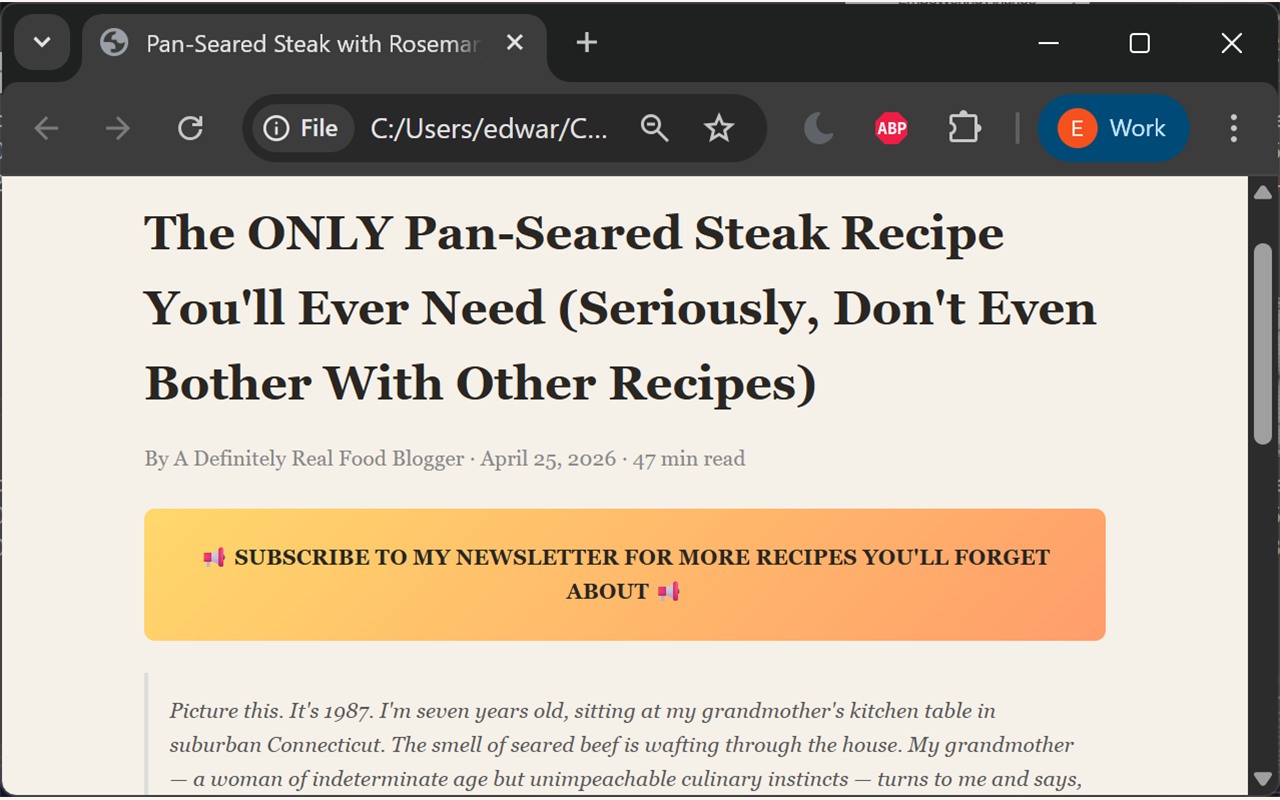
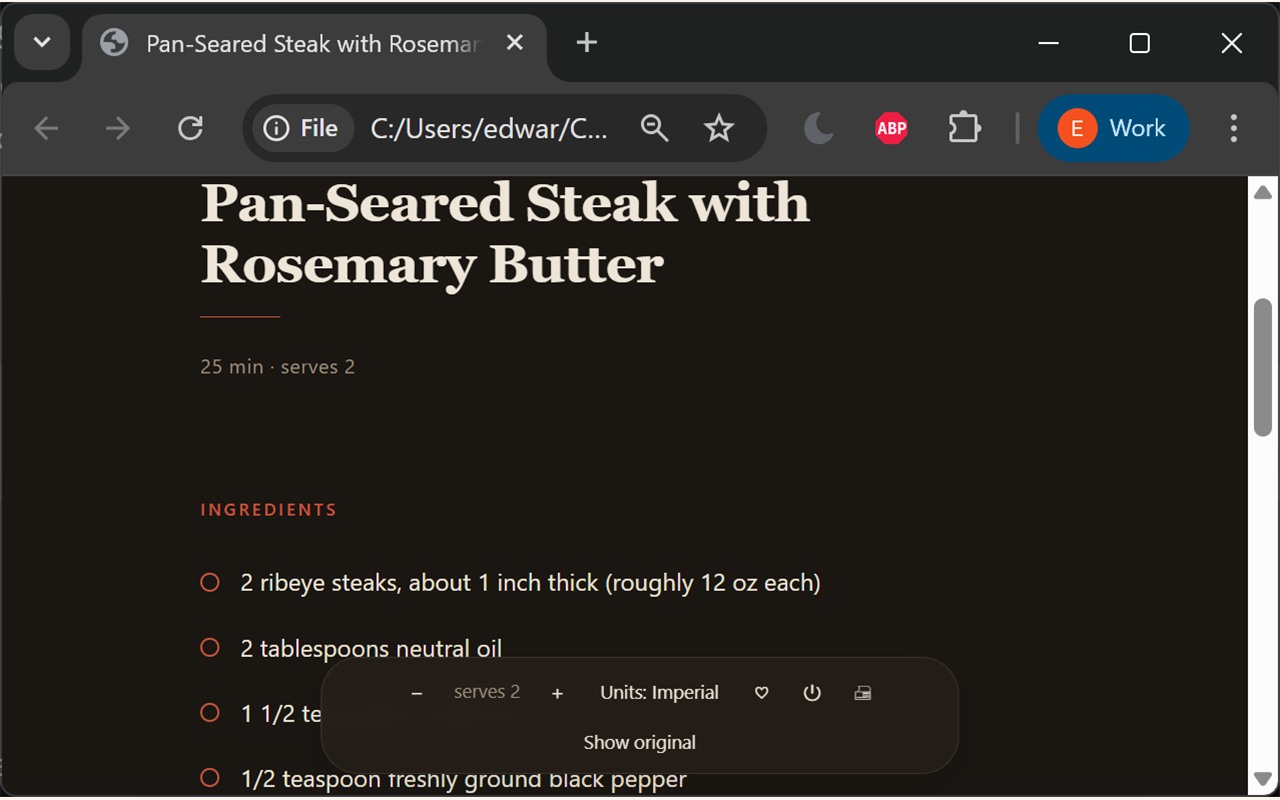
Go ahead, change something
The clean view is not a static list. Scale the servings, flip between US and metric, and check things off as you cook. Here is that part, live.
Garlic Butter Spaghetti
Ingredients
Steps
Saved on your computer. Nothing left the kitchen.
It does one thing. It does it well.
That one thing happens to have a few useful corners.
Just the recipe
Ingredients and steps, formatted to actually read. The memoir, the ads, the popups, and the auto-playing video are gone before you finish scrolling.
Check as you go
Tap an ingredient or a step and it crosses off. (Helpful for anyone who has added the butter twice because they lost their place.)
Scale the servings
Cooking for two or for twelve, the amounts do the arithmetic for you. (I have a Master’s in data science and I still did not want to do it by hand.)
US or metric
One toggle flips the whole recipe between cups and grams. For when the recipe is written in grams and your kitchen is not.
Save the keepers
A heart button saves a recipe to your own box, no account or sign-in required. It remembers the ones you liked.
Picks up where you left off
Close the tab in the middle of dinner, come back later, and your checkmarks and settings are waiting for you.
A closer look
More of the real thing, on that same over-written steak recipe.
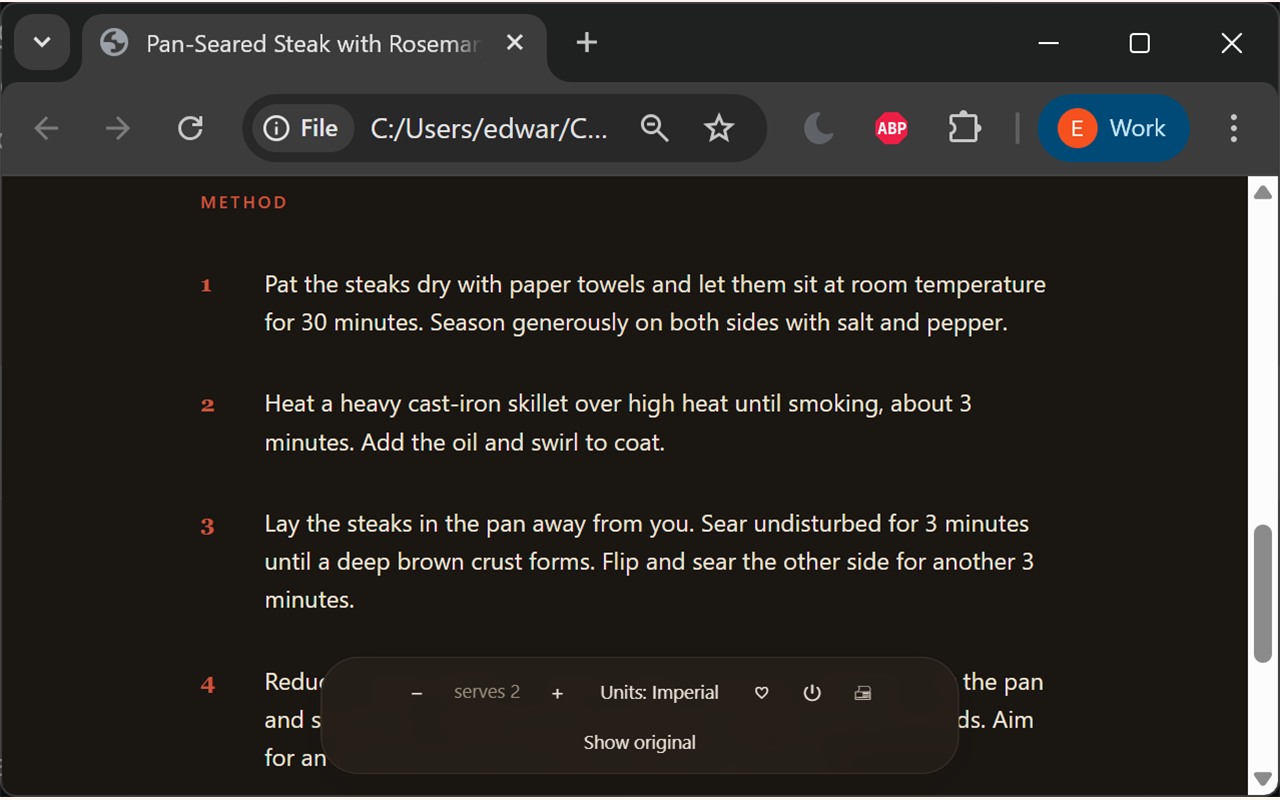
The same treatment as the ingredients, now applied to the part where you actually cook.
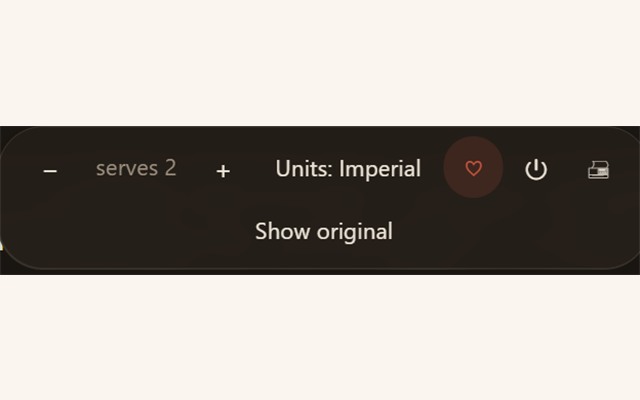
Servings, units, save, and a jump back to the original page, all from the strip that floats over the recipe.
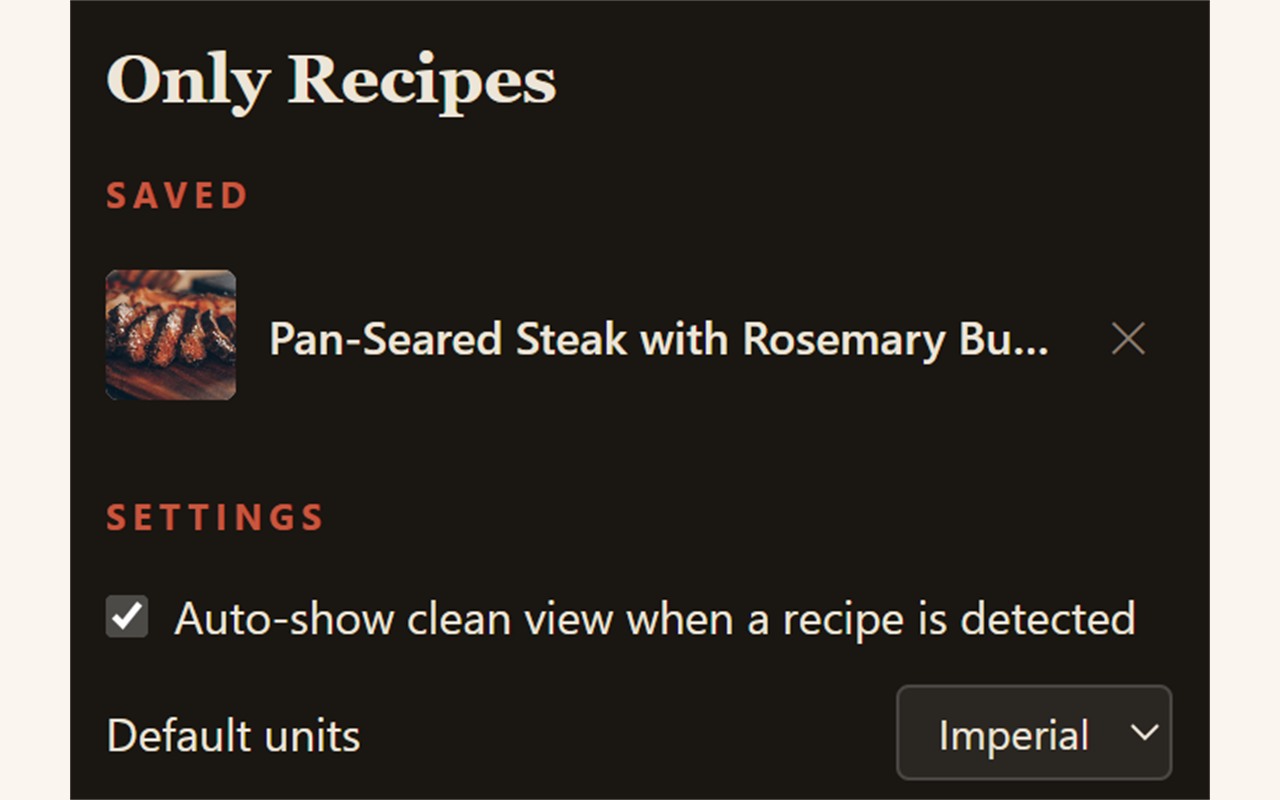
Your keepers live in your own box, next to the handful of settings there are. (There are not many. That is on purpose.)
The honest part
It is not quietly selling you.
Plenty of browser extensions are a quiet data-collection business wearing a friendly costume. Only Recipes is not one of them. It runs entirely on your device: no network calls of its own, no analytics, no ads, and no server to phone home to (there is no server).
The only thing it stores lives on your computer: the recipes you saved and the boxes you checked. The full privacy policy is short, because there is very little to disclose.
Cooking with it in under a minute
Add it to Chrome
It is free, from the Chrome Web Store, and installs in a couple of seconds.
Open any recipe page
Cook a thing you found anywhere. Most recipe sites publish their recipe in a standard format, and that is what Only Recipes reads.
Cook from the clean card
Click the icon when you want it, or turn on auto-show and it appears on its own every time.
Why a recipe extension
Of all the things to build first.
Short answer: I cook, and recipe websites had finally annoyed me into writing code.
I am a vegetarian who actually makes dinner, so I spend real time on these sites, so I have developed real opinions about them. I have built MCP servers for enterprise finance, a podcast, and a couple of companies. I had never built a browser extension.
So one irritated evening, I built one. It does exactly one thing and does it well, which is the kindest thing you can say about most software. This is my first extension, and the building of it was satisfying enough that it will not be the last.

Questions, asked in good faith
Is it really free?
Yes. No paid tier, no upsell, no "Pro" version waiting behind a login. It is free, and it stays free.
Does it work on every recipe site?
It works on any page that publishes its recipe in the standard schema.org format, which covers most cooking sites and nearly every large one. If a page has a real recipe in it, Only Recipes finds it. If it does not, the extension stays quiet and out of your way.
What does it collect about me?
Nothing leaves your computer. No tracking, no analytics, no account. The privacy policy spells out every last detail, and it is a short read.
Will it work on my phone?
Not yet. It is a desktop Chrome extension, and phone browsers do not run extensions the same way. For now it lives on laptops and desktops.
Which browsers?
Chrome, and the browsers built on it: Edge, Brave, Arc, and Opera. If it runs Chrome extensions, it runs this one.
Who made it?
Edward Roske, the one in the fedora. It is my first browser extension, which I am told is a rite of passage I reached a little later than most.
Get the recipe. Lose the rest.
Free, private, and faster than scrolling past someone’s vacation photos to learn how much flour to use.